PMMVY online apply is now faster and simpler than ever in 2026. The official portal at pmmvy.wcd.gov.in allows eligible women to complete the full beneficiary registration from their mobile phone in under 15 minutes. This guide walks through every step of the PMMVY online apply process — from citizen login to final submission — including common mistakes to avoid and what to do after you submit your application. Consequently, you can complete registration without needing to visit any office or Anganwadi centre.
Before You Begin — PMMVY Online Apply Checklist
Before starting the PMMVY online apply process, gather everything you need. Attempting the application without the right documents leads to errors and wasted effort. Therefore, prepare the following items before opening the portal.
- Aadhaar card — your 12-digit Aadhaar number is required
- Aadhaar-linked mobile number — you will receive OTP on this number for login
- MCP card — Mother and Child Protection card issued at your Anganwadi or health facility
- Bank passbook — account number and IFSC code of your Aadhaar-seeded account
- Address proof — ration card, voter ID, or utility bill (if requested)
Additionally, confirm your PMMVY eligibility before applying. Use the free PMMVY eligibility checker tool to verify your qualification instantly. This saves time and prevents submitting an application that will be rejected.
Step 1 — Access the PMMVY Online Apply Portal
Open your browser on mobile or desktop and navigate to pmmvy.wcd.gov.in. This is the official and current PMMVY portal in 2026. Avoid using older URLs like pmmvy.nic.in or pmmvy-cas.nic.in — while these redirect to the current site, they can sometimes cause loading issues. Furthermore, use a stable internet connection to prevent form timeouts during the application process.
Step 2 — Citizen Login for PMMVY Online Apply
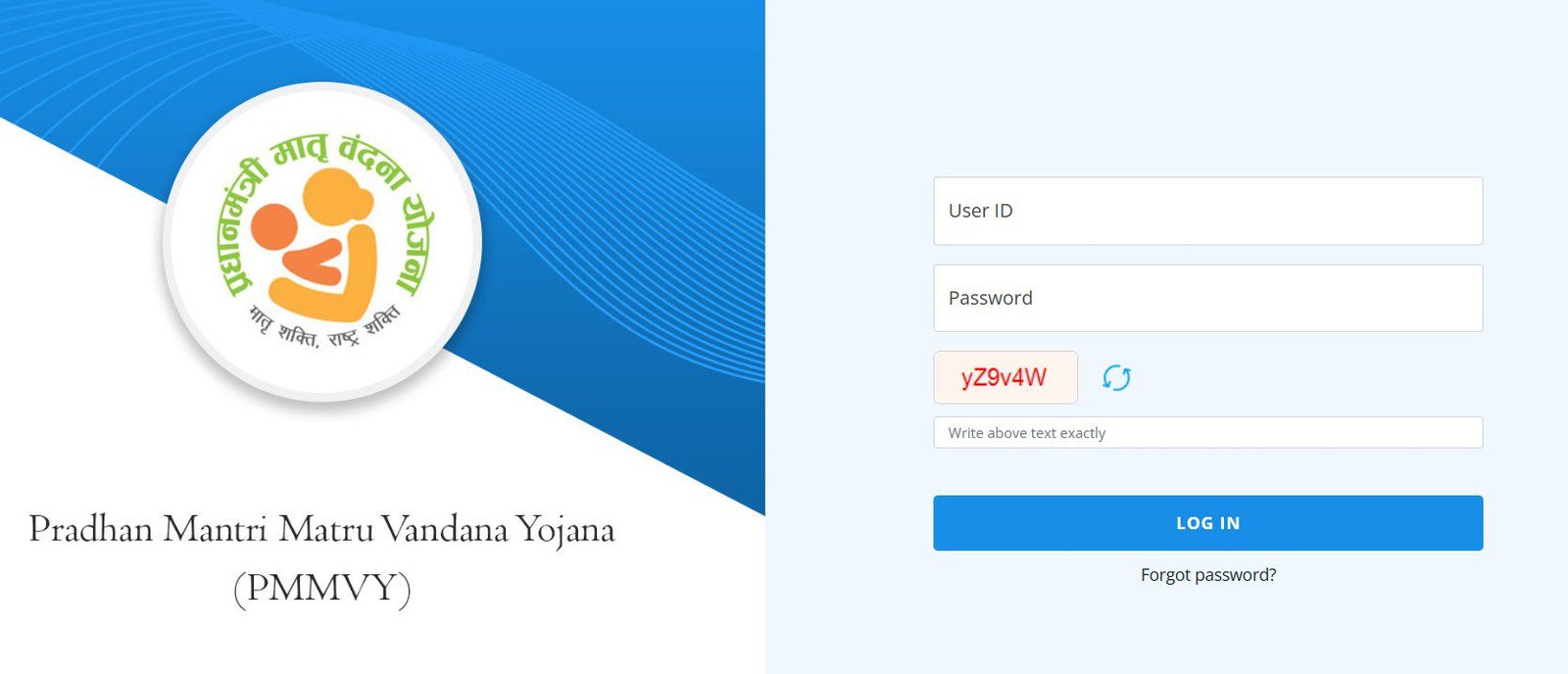
On the PMMVY portal homepage, click the Citizen Login button. A login screen appears asking for your mobile number. Enter the mobile number that is registered with your Aadhaar card. Then click Send OTP. You will receive a one-time password on that number within 60 seconds. Enter the OTP to proceed.
If you do not receive an OTP within 2 minutes, check that your mobile has network coverage, then click Resend OTP. Additionally, ensure your mobile number matches the number registered with Aadhaar — mismatched numbers will not receive the OTP and will block your login entirely.
Step 3 — Fill the PMMVY Beneficiary Registration Form
After login, click Beneficiary Registration to open the PMMVY online apply form. The form has multiple sections. Fill each section carefully and completely. Incomplete or inaccurate entries are a leading cause of PMMVY application rejection.
- Personal details: Full name as per Aadhaar, date of birth, Aadhaar number, category (SC/ST/OBC/General)
- Address details: State, district, block, village/ward, full address, PIN code
- Pregnancy details: Last menstrual period (LMP) date, expected date of delivery (EDD), AWC name where registered
- Bank details: Bank name, account number, IFSC code — must match the Aadhaar-seeded account
- Husband or guardian details: Name, Aadhaar number (required fields)
Double-check all entries before moving to the next section. Moreover, ensure the bank account number and IFSC code exactly match your passbook — a single digit error causes DBT payment failure after approval.
Step 4 — Upload Documents for PMMVY Online Apply
The portal requires document uploads to verify identity and pregnancy registration. Prepare clear, readable photographs or scanned copies of the following documents before uploading.
- Aadhaar card — front and back
- MCP (Mother and Child Protection) card showing pregnancy registration date
- Bank passbook first page showing account number and IFSC
File size must generally be under 200 KB per document. Additionally, accepted formats are typically JPG, JPEG, or PDF. If a file exceeds the size limit, compress it using a free mobile tool before uploading. Blurry or unreadable documents frequently cause application delays and must be re-submitted after verification failure.
Step 5 — Review and Submit Your PMMVY Application
Before final submission, the portal shows a preview of all entered information. Review every field carefully. Check that your name matches your Aadhaar exactly, your LMP date is correct, and your bank details are accurate. Furthermore, verify that all uploaded documents are clearly visible and correctly labelled.
Once satisfied, click Submit Application. The portal generates an acknowledgement number immediately after successful submission. Write this number down or take a screenshot — you will need it to track your PMMVY application status later. Additionally, an SMS confirmation is sent to your registered mobile number as a backup reference.
What Happens After You Submit — PMMVY Online Apply Next Steps
After submission, your PMMVY application goes through a multi-step verification chain. Understanding this chain helps you track progress and identify if your application is stuck at any stage.
- AWW verification: Your local Anganwadi Worker reviews the application and verifies pregnancy registration details against the physical MCP card — typically within 7 days
- Supervisor approval: The AWW’s supervisor at the CDPO office reviews and forwards the application — typically within 5 days
- District officer release: The district WCD officer approves the first installment release — typically within 7 days
- DBT credit: The ₹1,000 first installment reaches your bank account via PFMS — typically within 3 to 5 banking days after release
Therefore, total time from submission to first bank credit is typically 15 to 30 days. Check your application status regularly using the PMMVY application status tracker. If the status does not move for more than 15 days, contact your Anganwadi centre immediately.
Common Mistakes During PMMVY Online Apply
Several errors frequently cause PMMVY online apply rejections or delays. Avoiding these mistakes significantly improves approval speed.
- Name entered differently from Aadhaar spelling — use exact match including middle name if present
- Bank account not Aadhaar-seeded before application — payment fails after approval
- LMP date entered incorrectly — results in wrong installment timelines and may flag the application for review
- Uploading blurry document photos — leads to document verification failure
- Using an inactive mobile number — OTP for login fails, blocking the process entirely
Frequently Asked Questions — PMMVY Online Apply
What is the official website for PMMVY online apply?
The official portal for PMMVY online apply in 2026 is pmmvy.wcd.gov.in. Always use this URL directly — older addresses like pmmvy.nic.in redirect here but may cause loading issues.
Can I apply for PMMVY online from my mobile phone?
Yes. The PMMVY portal is mobile-optimised and works on Android and iOS browsers. You can complete the full online apply process from your smartphone without visiting any office.
What documents are needed for PMMVY online apply?
You need your Aadhaar card, MCP card showing pregnancy registration, and bank passbook for the Aadhaar-seeded account. Clear photographs or scanned copies are accepted for all documents.
How long does PMMVY online apply approval take?
After submission, the AWW verifies within 7 days, the supervisor approves within 5 days, and the district officer releases the first installment within 7 days. Total time to first bank credit is typically 15 to 30 days.
Can I apply for PMMVY offline instead of online?
Yes. Visit your nearest Anganwadi centre and request the physical PMMVY application form. The AWW will register your application offline on your behalf. Both online and offline applications are equally valid.
What is PMMVY citizen login?
PMMVY citizen login is the beneficiary access portal at pmmvy.wcd.gov.in. You log in with your Aadhaar-linked mobile number and OTP to register, track application status, and verify payment details.